
Every page on your school website, from About to Uniform Shop, is a web page in the Control Centre. You choose where it sits in the menu, and you build its content from content holders.
Find your web pages #
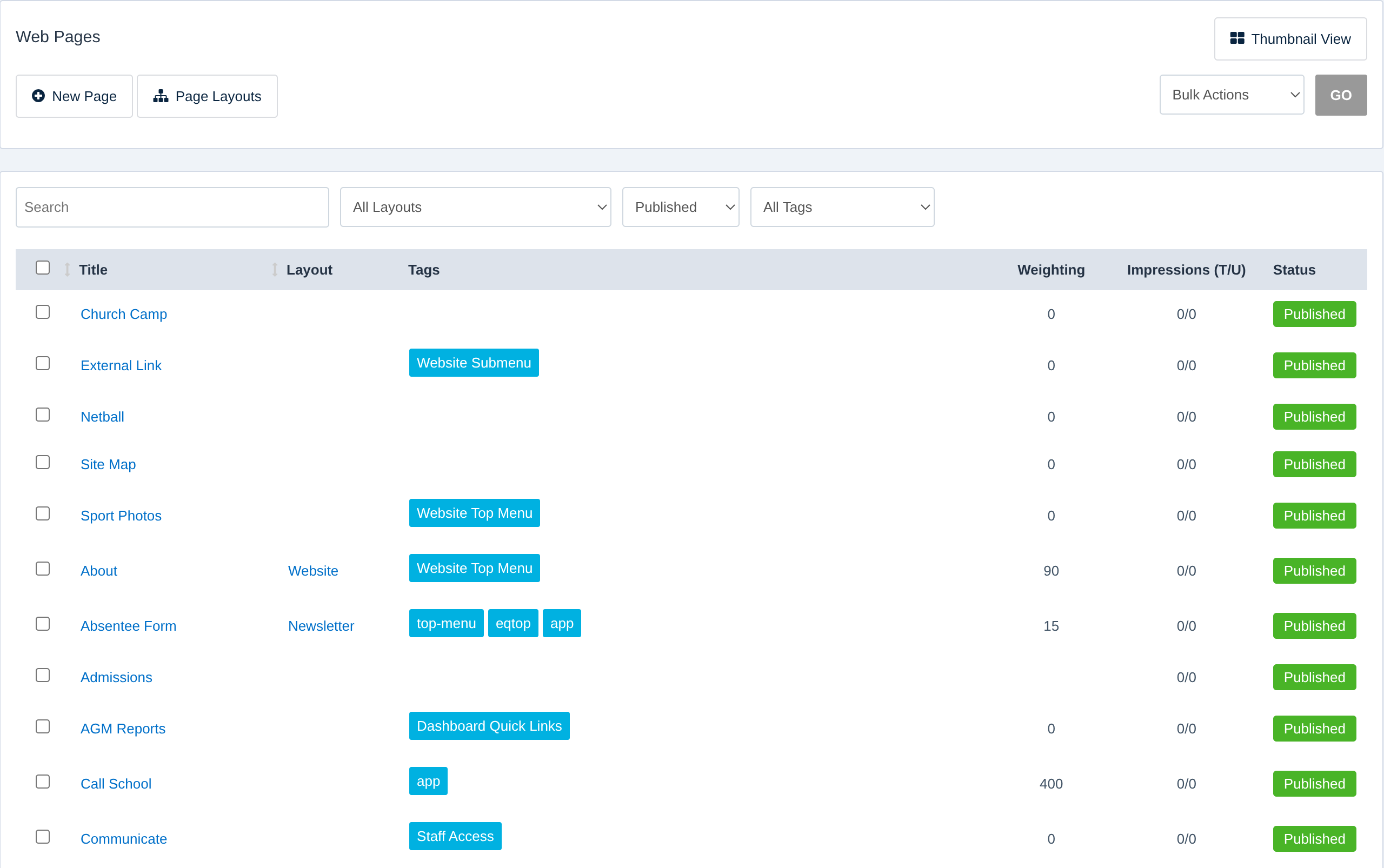
In the Control Centre, select Content → Web Pages. The list shows each page’s Title, Layout, Tags and Status. Use the filters to find pages by layout, status or tag, or click Thumbnail View to see them as tiles.
Add a page #
- Click New Page.
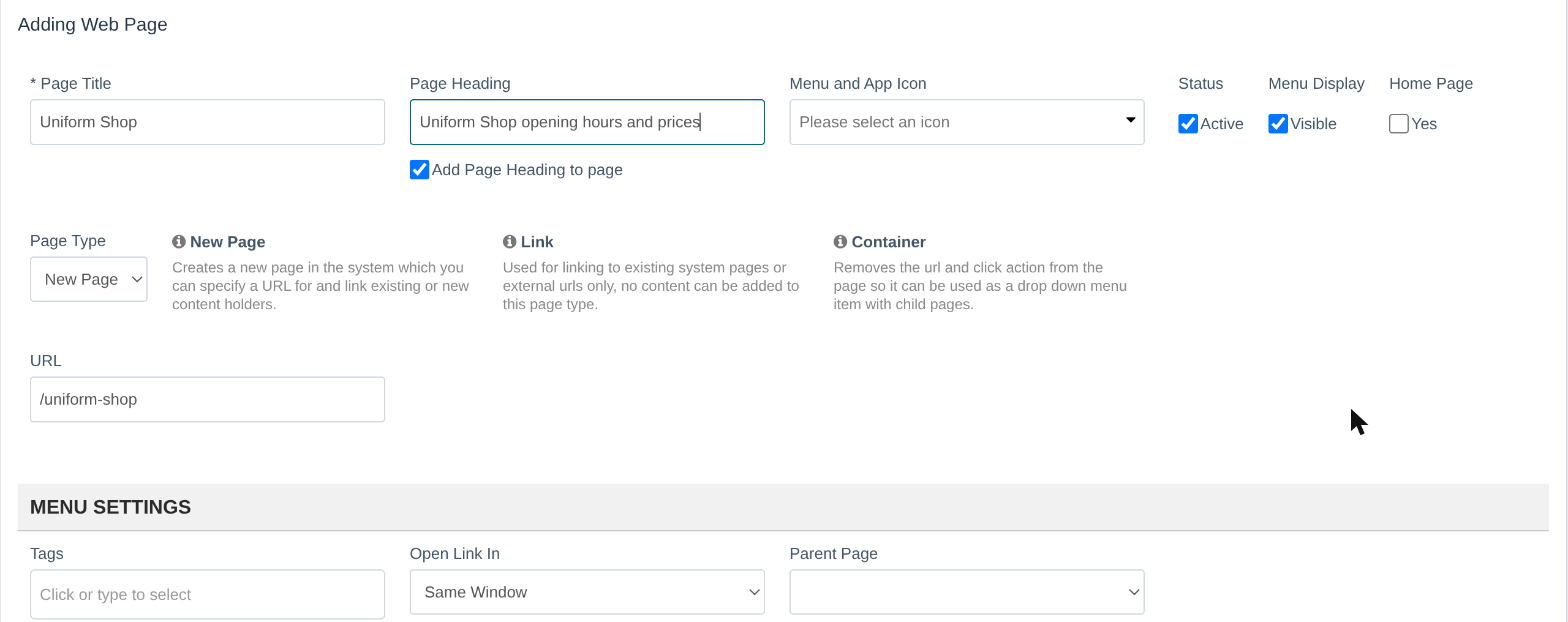
- Type a Page Title. This is the name in your menu. The URL fills in for you, for example
/uniform-shop. - Optionally add a Page Heading that shows at the top of the page.
- Choose a Menu and App Icon if the page will appear as an SZ App tile.
- Leave Status ticked as Active and Menu Display as Visible so families can find the page.
- Choose a Page Type:
- New Page for a normal page with its own content.
- Link to point a menu item at another page or website.
- Container for a menu heading that opens a drop-down of child pages.
Menu settings #
- Tags decide where the page appears. For example, the
website-top-menutag puts it in your website’s top menu, and theapptag makes it an SZ App tile. - Parent Page puts the page underneath another page in the menu.
- Weighting sets the page’s order in the menu.
- Open Link In chooses whether the page opens in the same window or a new one.
Page layout and content #
- Select Layout and Select Skin change the page’s design. Leave them as they are to use your website’s default.
- Under Page Content, pick an existing content holder from Add content, or click New Content Holder to write new content for this page.
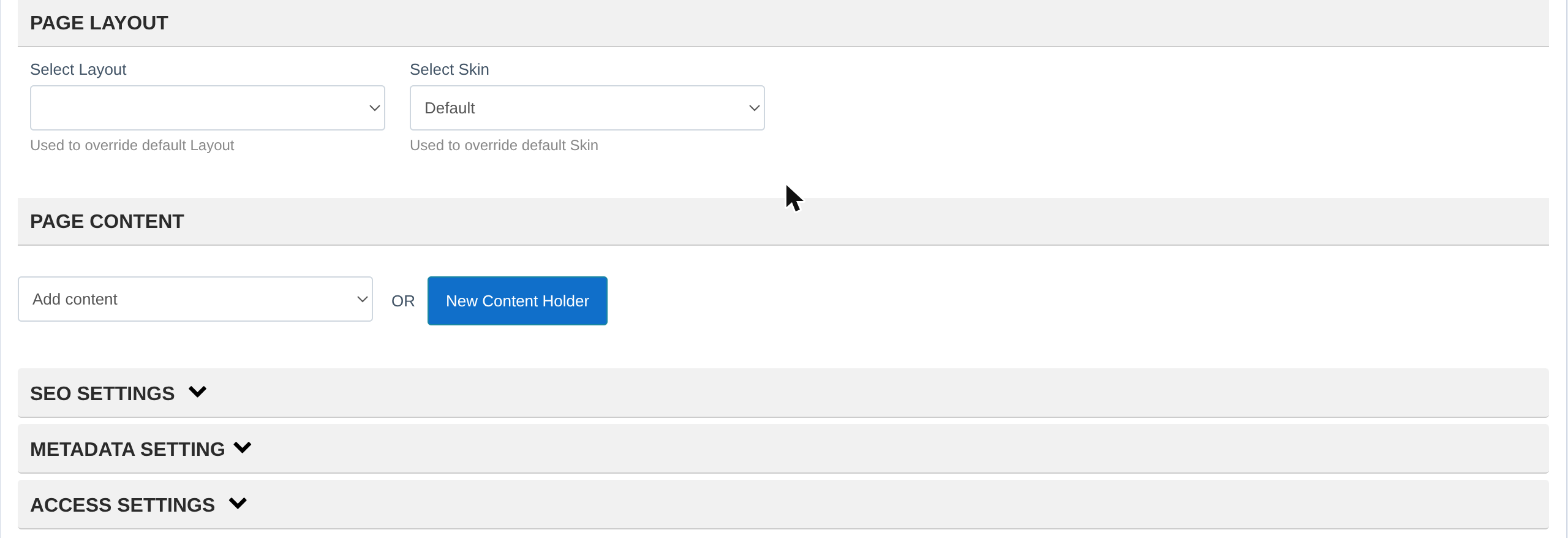
SEO Settings, Metadata Setting and Access Settings at the bottom let you set how the page shows in search results and who can see it.
When you’re done, click Save.
Tip: To hide a page while you work on it, untick Active. It won’t show on your website until you tick it again.
Related articles #
Need a hand? #
Our Customer Success Team is here to help. Call 1300 795 503, email [email protected] or start a live chat in your Schoolzine account.


